Appearance
How do I pause or stop the tool?
You can pause or stop Reply200 at different levels depending on how much you want to turn off.

- Pause a specific Page: Toggle off Moderate and/or Engage in the Pages tab. The page stays connected but we stop processing its comments.
- Pause an entire BM: Use the toggles at the BM level in the BMs tab. This pauses all pages under that Business Manager at once.
- Stop completely: Select the Business Managers or Pages you want to remove using the checkboxes in the dashboard, then use the bulk action menu to Unlink BMs or Unlink Pages. Profiles are unlinked automatically when the relevant Pages or BMs are unlinked. We stop all processing immediately.
Softer than a full pause
- Switch off single comment categories: in a page's Settings you can turn off just Spam, Neutral, or any other category while the rest keeps running. When a category is off, the page's row shows a small warning next to the affected toggle so you can see at a glance that it's only partially active.
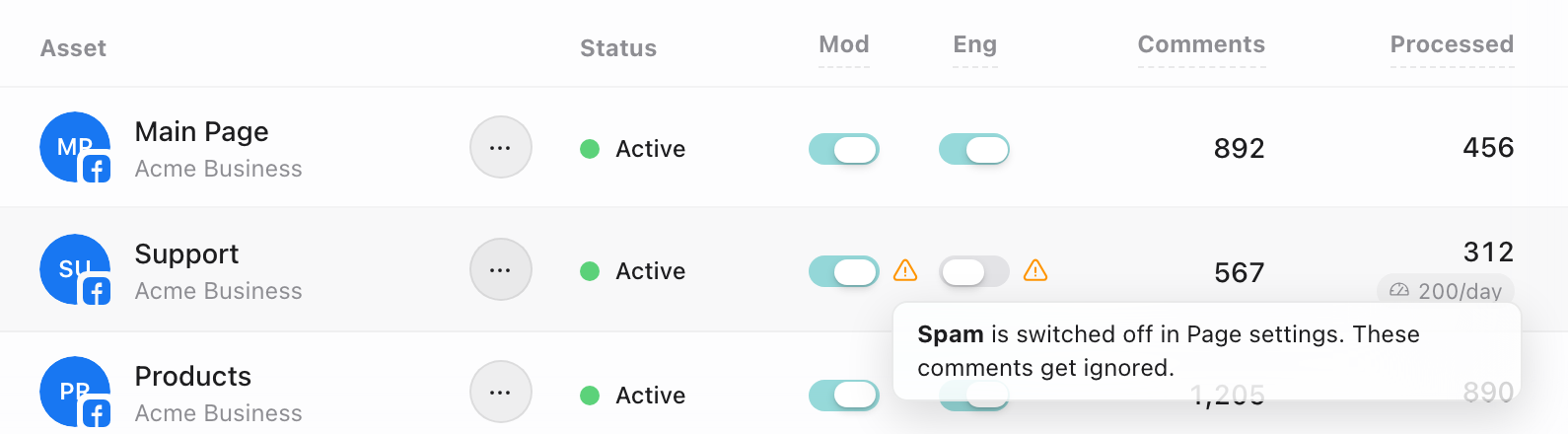
- Cap usage instead of stopping: a daily cap pauses processing automatically once today's comments or spend hit your limit, and resumes tomorrow on its own.
For more details on revoking access, see Can I revoke access later?
You stay in full control, always.